A chat bot for your website and messengers
One bot replies in the website widget, Telegram, VK, Avito and MAX. It takes facts from your knowledge base, collects contacts into a lead and calls an operator when a person is needed.
Message the bot
Pick a question and a channel. The reply streams in like a live model, and the right side shows what your team receives at the same time.
Hello! I am the assistant of Linia Kitchens. I can tell you about prices and lead times, and book a free measurement visit.
Example: Linia Kitchens, a made-up kitchen studio. Replies are prepared in advance and channel designs are simplified.
How the bot goes live
-
Knowledge base
You send your price list, terms and FAQ answers as text or files, and they go into the bot's knowledge base.
-
Channels
The Phonix team connects the widget and messengers. Your website gets one line of code.
-
Replies
The bot answers briefly, one question at a time, in the client's language.
-
Lead and operator
Contacts go into a lead, and the chat goes to an operator in the shared inbox when needed.

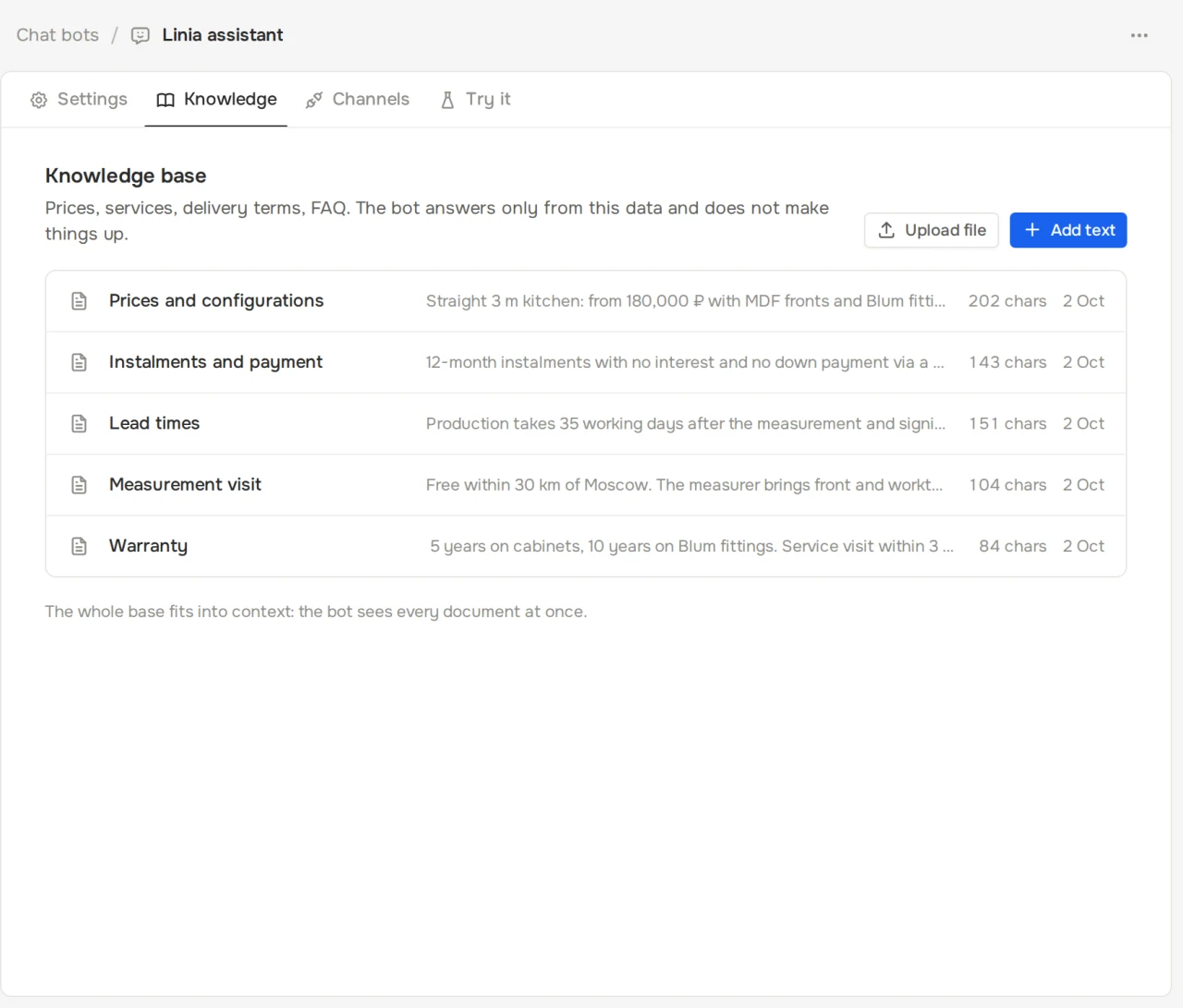

Bot capabilities
- Five channels
- Website widget, Telegram, VK, Avito and MAX connect to one bot and one knowledge base.
- No made-up facts
- Prices, lead times and terms come only from the knowledge base. If there is no answer, the bot offers to take a contact.
- Contact collection
- The fields to ask for are set in the bot settings and land in the lead card.
- Operator handoff
- When the client asks for it, complains or is annoyed, and according to your rules.
- Injection protection
- Client messages don't change the bot's instructions: requests to switch roles or reveal the prompt are steered back to business.
- Test before launch
- The "Try it" tab lets you chat with the bot exactly like a client.
Chat bot FAQ
How do I add the widget to my site?
Paste one <script> line before the closing </body> tag. The chat window loads in an iframe and doesn't touch your site's styles or scripts.
Can I test the bot before launch?
Yes. The "Try it" tab in the bot card lets you chat with it like a client and adjust the knowledge base as you go.
What does the operator see?
The whole chat with the bot, the channel and the lead card. The operator replies from the dashboard and can hand the chat back to the bot or close it.
How does the bot work with Avito?
Through the Avito Pro Messenger API: the bot replies to messages about your listings, and the event subscription is set up automatically.