API and webhooks for your CRM
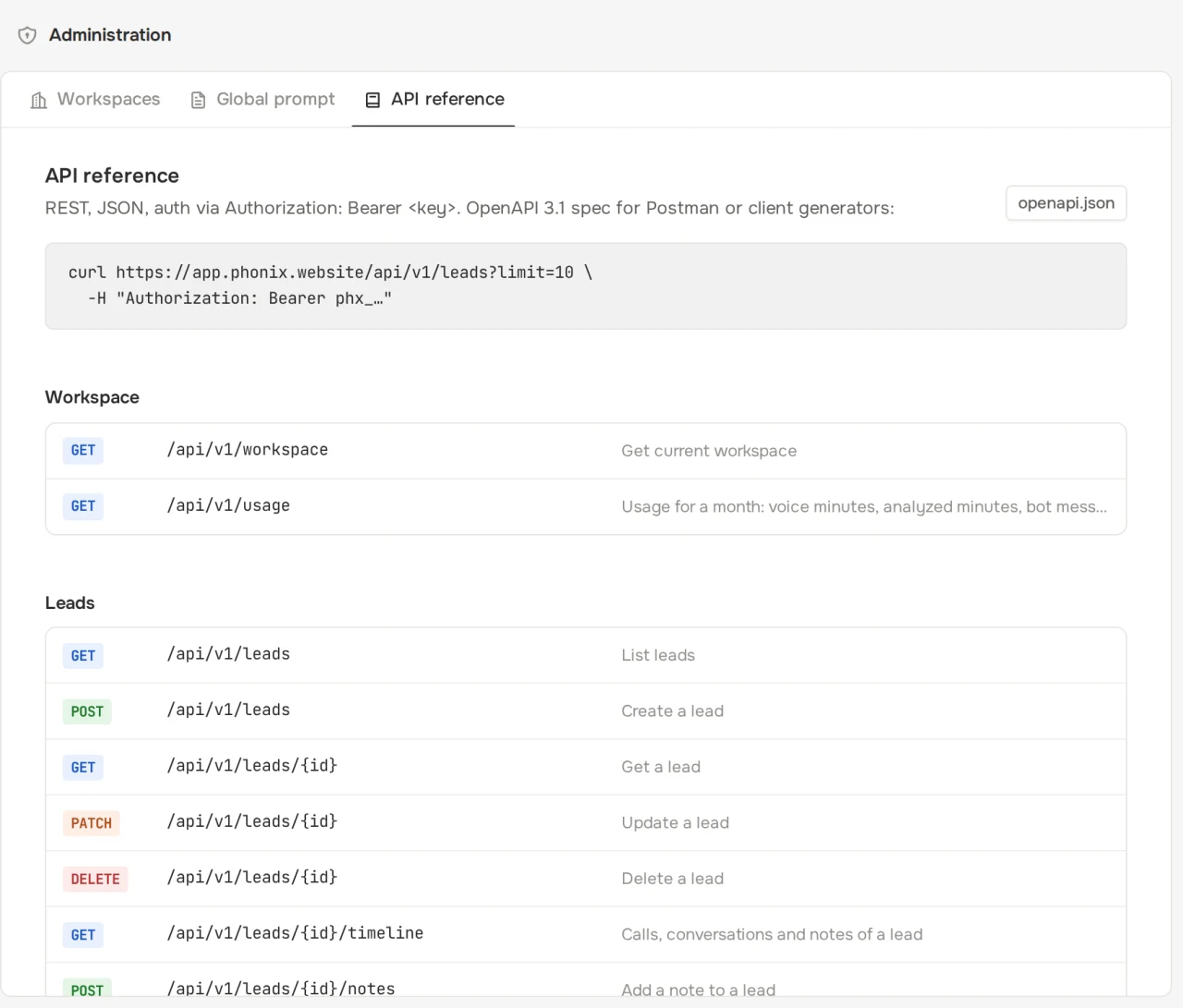
The REST API reads and writes leads, calls, reviews and chats. Webhooks report events as soon as they happen. The Phonix team issues keys and webhook endpoints.
# New leads
curl "https://app.phonix.website/api/v1/leads?status=new&limit=50" \
  -H "Authorization: Bearer $PHONIX_KEY"

# Send a manager's call for review
curl -X POST https://app.phonix.website/api/v1/calls \
  -H "Authorization: Bearer $PHONIX_KEY" \
  -F file=@call.mp3 -F client_number=79261234567 \
  -F employee_extension=101 -F external_id=crm-call-8812
Basics
- Base URL
- https://app.phonix.website/api/v1
- Auth
- Authorization: Bearer phx_…
- Key scopes
- read and write, or read only
- Rate limit
- 600 requests per minute per key
- Format
- JSON, ISO 8601 dates, paginated lists
- Spec
- OpenAPI 3.1, GET /api/v1/openapi.json
Resources
| Path | What you can do |
|---|---|
| /leads | list with search and filters, create, update, timeline, notes |
| /calls | list, card with transcript and review, upload a file or URL, re-score, download the recording |
| /qa-scripts, /employees | script checklists and employees for speech analytics |
| /analytics/overview, /analytics/qa | period summary and script completion by item and employee |
| /voice-agents, /bots, /bots/{id}/knowledge | agent, bot and knowledge base settings |
| /channels | company channels and the widget code |
| /conversations | chats across channels, operator replies, hand back to the bot |
| /webhooks/event-types | which events Phonix sends to webhooks |
Request examples
const res = await fetch('https://app.phonix.website/api/v1/calls?passed=false&limit=20', {
  headers: { Authorization: `Bearer ${process.env.PHONIX_KEY}` },
});
if (!res.ok) throw new Error((await res.json()).error.message);
const { data } = await res.json();
for (const call of data) console.log(call.employee_name, call.score, call.summary);
import os, requests
r = requests.get(
"https://app.phonix.website/api/v1/leads",
params={"status": "new", "limit": 50},
headers={"Authorization": f"Bearer {os.environ['PHONIX_KEY']}"},
timeout=10,
)
r.raise_for_status()
for lead in r.json()["data"]:
print(lead["name"], lead["phone"], lead["fields"])curl -X PATCH https://app.phonix.website/api/v1/leads/LEAD_ID \
-H "Authorization: Bearer $PHONIX_KEY" \
-H "Content-Type: application/json" \
-d '{"status": "qualified"}'Webhooks
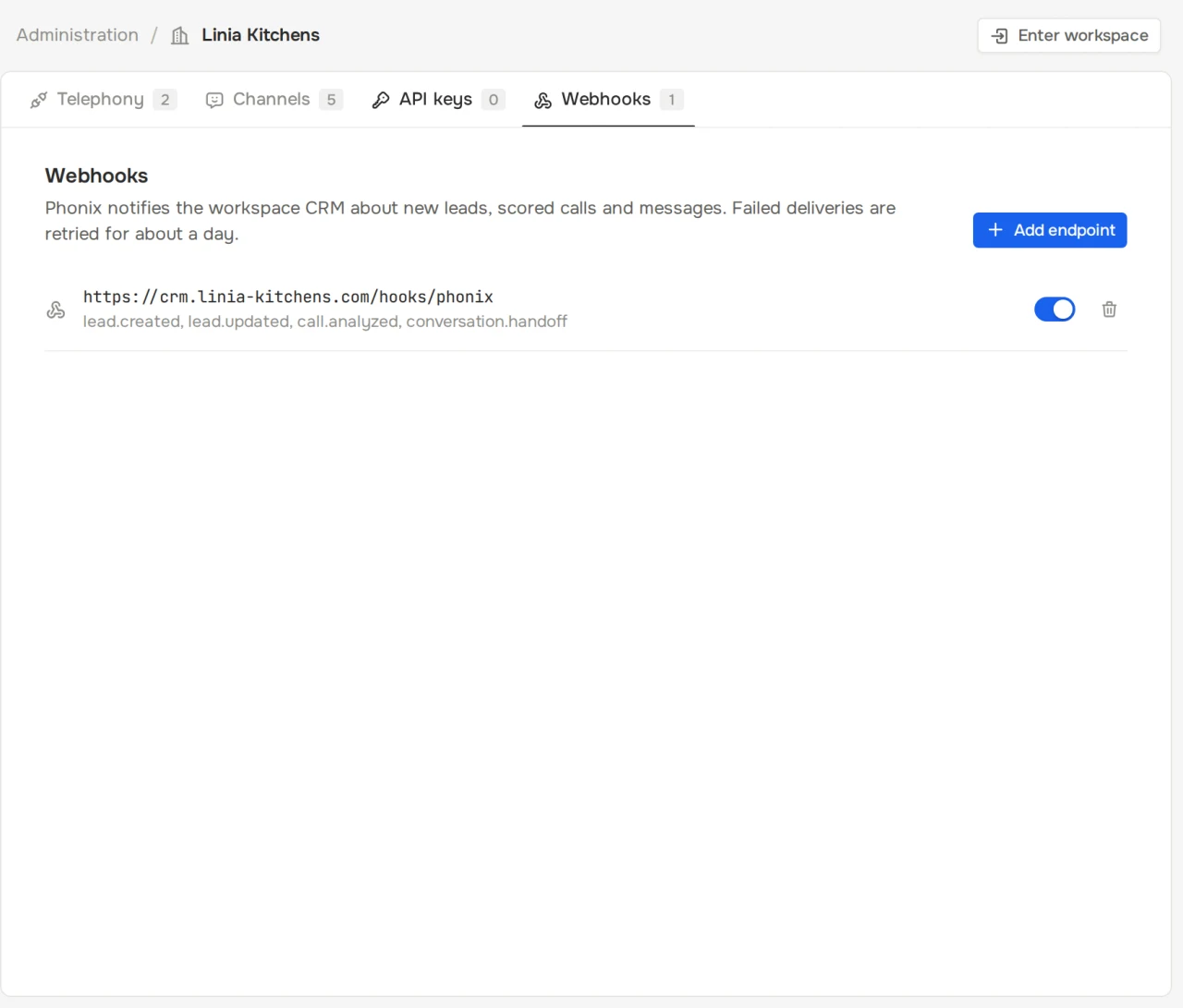
Phonix sends a POST to your CRM endpoint. Body: {"id", "type", "created_at", "data"}, where data holds an object in the same format as the API.
| Event | When it arrives |
|---|---|
| lead.created | A new lead: from the agent, a bot, a manager call, the API or manually |
| lead.updated | Status, fields or assignee changed |
| call.completed | The call ended and the recording is saved |
| call.analyzed | The review is ready: score, item verdicts, outcome |
| conversation.created | A client started a new chat in one of the channels |
| conversation.message | A new message from the client, bot or operator |
| conversation.handoff | The chat was handed to an operator |
{
  "id": "6f0c3a52-8d1e-4b07-9a51-2c4f5e7d9b10",
  "type": "lead.created",
  "created_at": "2026-10-01T08:18:44Z",
  "data": {
    "id": "a1d9e0f4-3c2b-4f6a-8e7d-5b4c3a2f1e0d",
    "object": "lead",
    "name": "Mikhail",
    "phone": "79161234512",
    "status": "new",
    "source": "voice",
    "fields": {
      "request": "Custom kitchen, L-shaped 3.2 × 2 m",
      "address": "42 Leninsky Avenue",
      "visit": "Saturday, 10:00 to 12:00"
    }
  }
}
Request headers
- Phonix-Event
- event type, e.g. call.analyzed
- Phonix-Delivery
- delivery id, handy for dropping duplicates
- Phonix-Signature
- t=<unix>,v1=<hex>, where v1 = HMAC-SHA256(secret, "<t>.<body>")
Verifying the signature
Compute the HMAC over the raw request body before parsing JSON and compare in constant time. Reject timestamps older than 5 minutes.
import crypto from 'node:crypto';

// rawBody: the request body as a string, before JSON.parse
export function verify(rawBody, header, secret) {
  const parts = Object.fromEntries(header.split(',').map((p) => p.split('=')));
  if (Math.abs(Date.now() / 1000 - Number(parts.t)) > 300) return false;
  const expected = crypto.createHmac('sha256', secret).update(`${parts.t}.${rawBody}`).digest('hex');
  const given = String(parts.v1 || '');
  return given.length === expected.length && crypto.timingSafeEqual(Buffer.from(given), Buffer.from(expected));
}
import hashlib, hmac, time
def verify(raw_body: bytes, header: str, secret: str) -> bool:
parts = dict(p.split("=", 1) for p in header.split(","))
if abs(time.time() - int(parts["t"])) > 300:
return False
signed = parts["t"].encode() + b"." + raw_body
expected = hmac.new(secret.encode(), signed, hashlib.sha256).hexdigest()
return hmac.compare_digest(expected, parts.get("v1", ""))Retries
If your server doesn't return 2xx or doesn't answer within 10 seconds, Phonix retries. After 50 failures in a row the endpoint is disabled and the reason shows in the dashboard.
- #1 now
- #2 1 min
- #3 5 min
- #4 30 min
- #5 2 h
- #6 6 h
- #7 12 h
Errors
Errors always share one format: a machine-readable code, a message for developers and details when available.
{
  "error": {
    "code": "bad_request",
    "message": "Invalid body",
    "details": [
      {
        "path": "phone",
        "message": "Invalid phone number",
        "code": "custom"
      }
    ]
  }
}| Status | code | When |
|---|---|---|
| 400 | bad_request | body or parameters failed validation, details lists the fields |
| 401 | unauthorized | no key or the key was revoked |
| 403 | forbidden | the key has no write scope |
| 404 | not_found | the object does not exist or belongs to another company |
| 409 | conflict | the object already exists, e.g. a call with the same external_id |
| 429 | rate_limited | more than 600 requests per minute per key |
Reference and webhooks in the dashboard